

What’s New in Intelligent Vision
Updates and new releases at Unleash live
Enterprise network & security
Set-up & Configuration
Media Capture & Management
Analyze & Assess
Insights & Alerts
ANALYZE & ASSESS
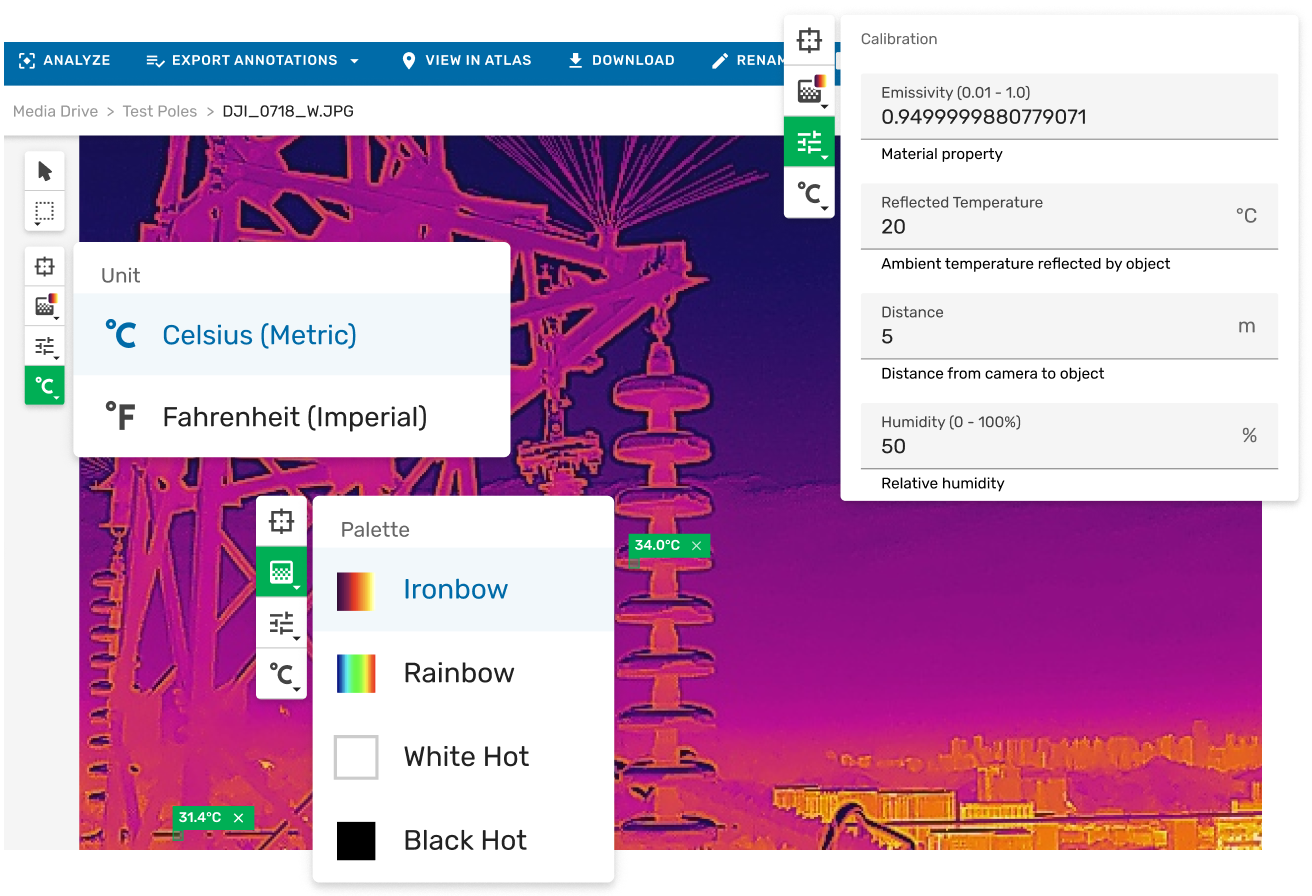
Thermal Image Support in Image Viewer
Thermal imaging captures heat as temperature data rather than light. It reveals what standard cameras cannot, including overheating electrical components, insulation gaps, moisture ingress, bearing stress, and solar panel hotspots.
Within Unleash live Cloud, radiometric images can be opened in Media Drive, with spot temperatures checked, palettes adjusted, and findings annotated directly inside the governed inspection record. There is no need for desktop software, file exports, or workflow disruption.
Thermal analysis is fully integrated into the Image Viewer, enabling full resolution review and annotation in one place.
ANALYZE & ASSESS
Filter Standard RGB Images & Thermal Images
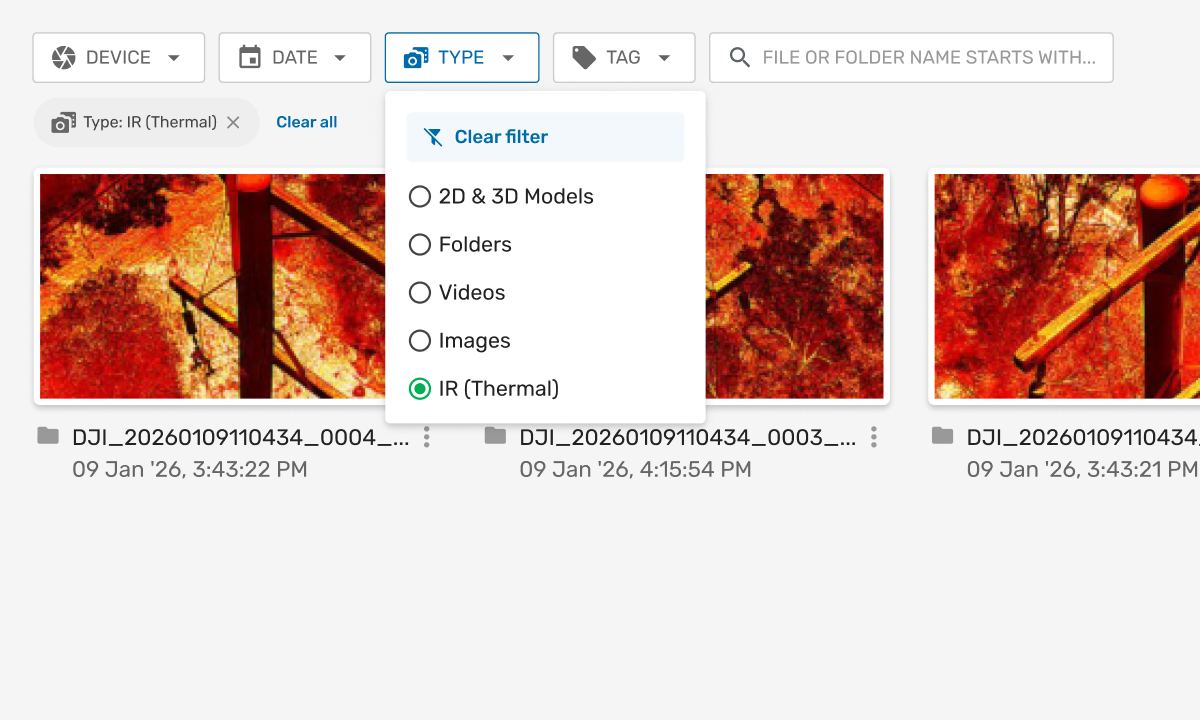
If you’re running dual-sensor drone inspections, you can now filter between standard and thermal images instantly in Media Drive, the media management and storage system within Unleash live Cloud.
Select ‘IR (Thermal)’ from the ‘Type’ drop-down to isolate thermal captures in one click: then open directly in Image Viewer, the full-resolution image review and annotation interface within Unleash live Cloud for spot temperature checks, palette switching, and annotation. No manual triage. No separate workflows.
MEDIA CAPTURE & MANAGEMENT
Improved Fault Review
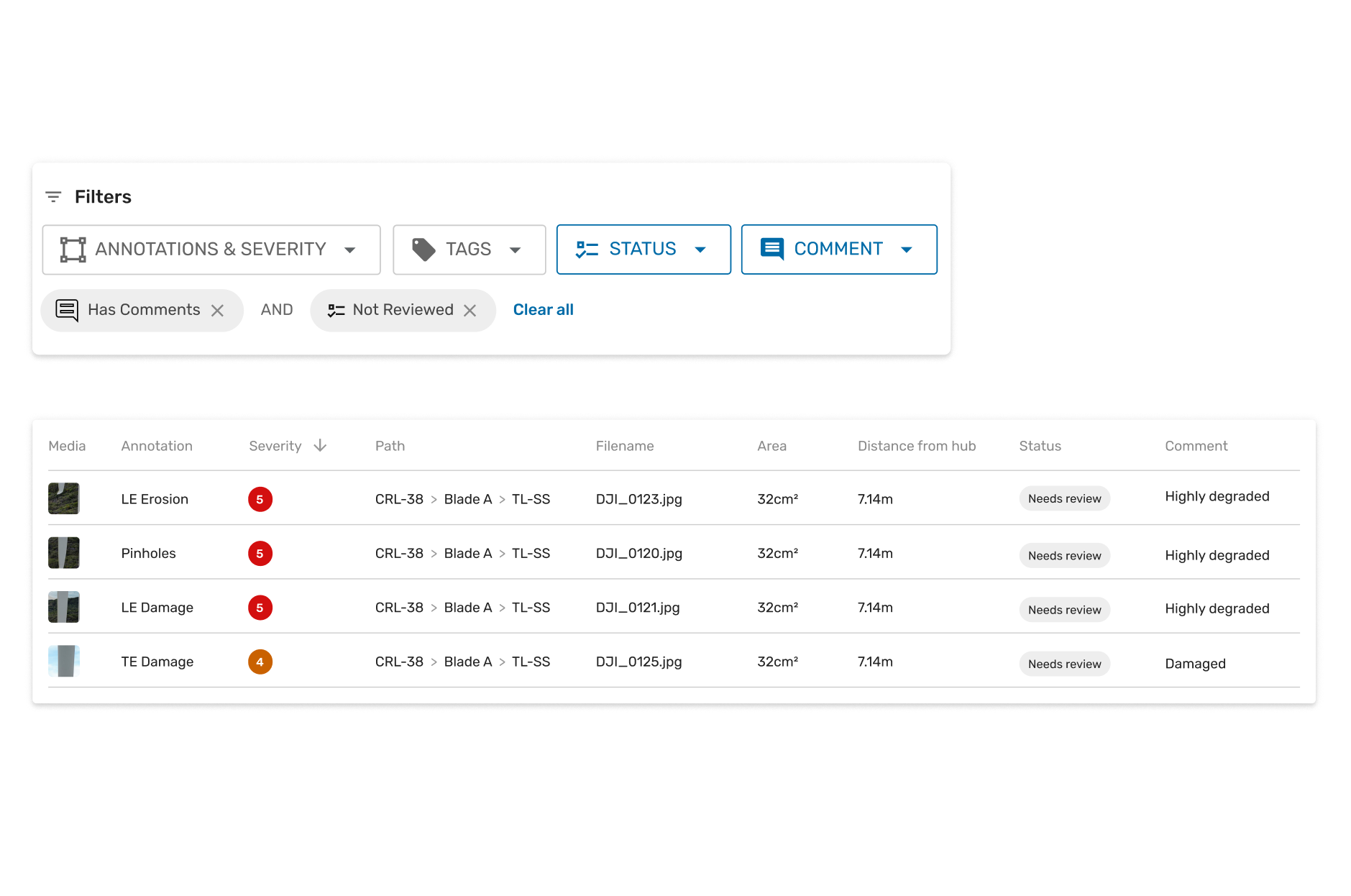
The Reporting Page in Unleash live now keeps your filters, table settings, and review context intact across your entire session. Filter faults by severity, tags, status, or whether comments have been added. Open any detection in the immersive viewer and return to exactly where you left off. A summary card shows inspection totals at a glance: no PDF export needed. Fault review for large inspection programs, without the stop-start.
MEDIA CAPTURE & MANAGEMENT
Augmented Reality (AR)-Guided Manual Inspections + Autofly (GCS) 26.03
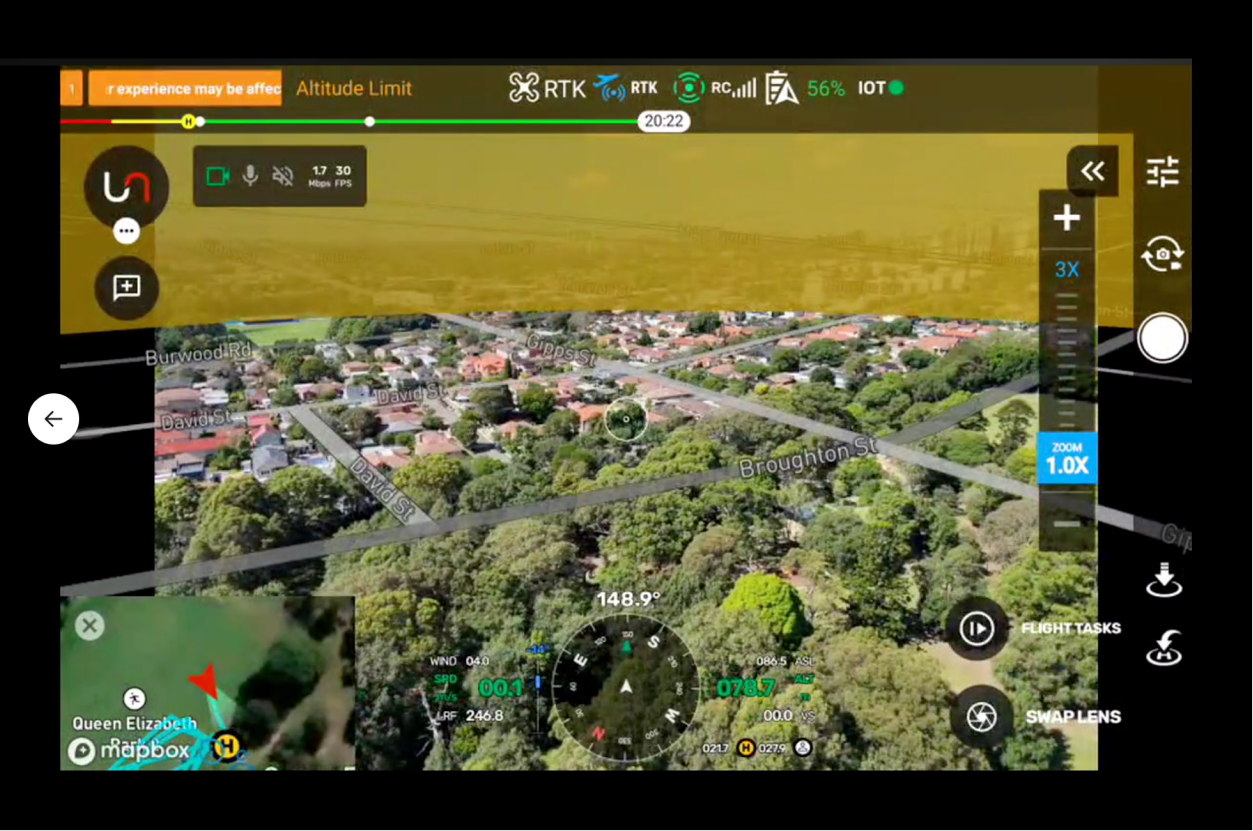
Autofly, the Unleash live ground control station (GCS) application for drone mission planning and flight operations v26.03, introduces AR-Guided Manual Inspections: your planned flight path, waypoints, and asset locations overlaid directly onto the live drone video feed.
Pilots see exactly where to fly without switching to the map. Color-coded map status shows task progress at a glance. Smart Inspect, the automated asset capture mission mode within Autofly is more reliable, with improved mission navigation. A major platform stability upgrade delivers more reliable longer flights and smoother remote operations. This is the most capable version of Autofly yet.
Explore past releases below
2025 Release #2
Live Streaming
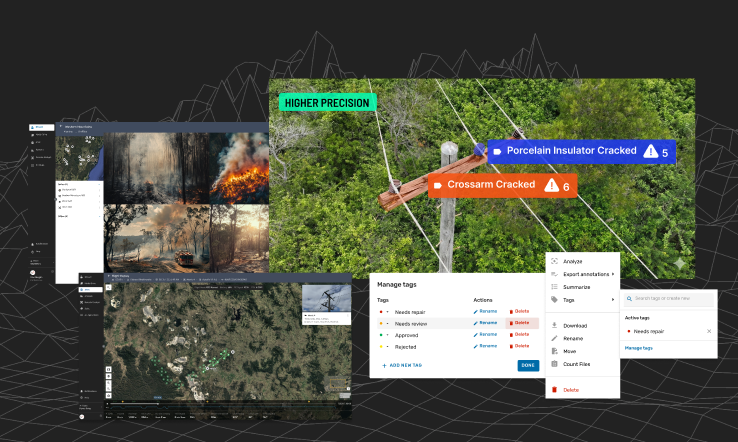
Improved Tag Management
Flight Log Replay
Powerline AI-App
2025 Release #1
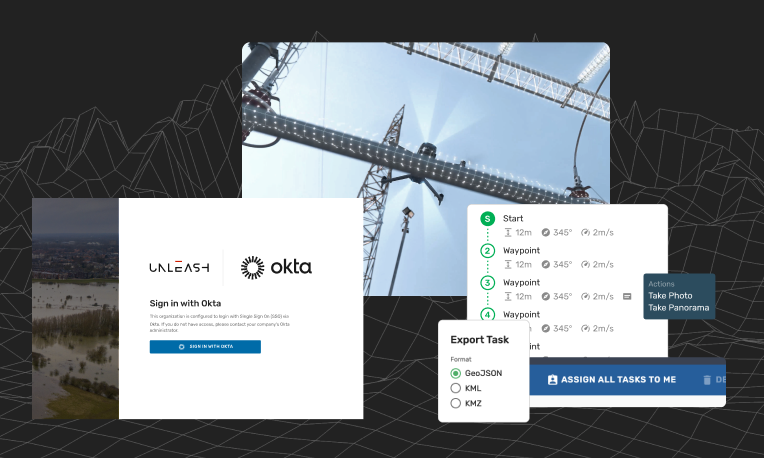
Enterprise SSO with Okta & Entra ID
Faster Geospatial Performance in Fusion Atlas
Major Autofly Enhancements
QoL Improvements to Jobs, Tasks & Mission Planner

2024 Release #4
Search by metadata in Atlas
Improvements to Mission Planning
Vessel & vehicle overheight
Obstacle avoidance alerts in Autofly

2024 Release #3
Streaming and AI Processing Scheduling
Enhanced smart corridor generation using layers in Atlas
Autofly updates
Watercraft Detection AI App
Integration with Siemens’ Senseye Predictive Maintenance

2024 Release #5
Streaming and AI Processing Scheduling
Keyboard shortcuts for Image Viewer
New AI app: Smoke Intensity Measurement
New AI app: Material Damage Detection

2024 Release #2
Jobs and task management
Survey Missions
Support for wide angle view and 4K streaming
AI Apps for the Resources and Mining Industry
-
2024 Release #1
- Camera Scene Mapping
- Skydio integration
- Improvements to Atlas
- New AI Apps to ensure safety
- Grafana integration
Learn more
2023 Release #5- Smart annotations
- Automated missions from Geospatial data
- API for Flight Management Systems
- Download captured media via API
- Teams and Permissions
2023 Release #4
- Access live feeds from all your devices (drone, CCTV, etc) in Fusion Atlas
- Unleash Live partners with AstraUTM for enhanced drone management capabilities
- Compare geographical layers side by side
- Enhance your image viewing: Robust viewer with full metadata and tag support
2023 Release #3
- Syncing Orthomap and KML layers
- Support for DJI M3 and M30
- Optimized flight planning with JSON and KML imports
2023 Release #2
- Autofly marker drop on Atlas Fusion
- Annotation summary and filter
- Panoramic image viewer
2023 Release #1
- Side by side image comparison slider
- Rapid organization of power lines inspection images by asset geolocation
- SafetyCulture’s iAuditor Inspections integration

Ready to get started?
See how Unleash live can help you automate workflows and reduce costs