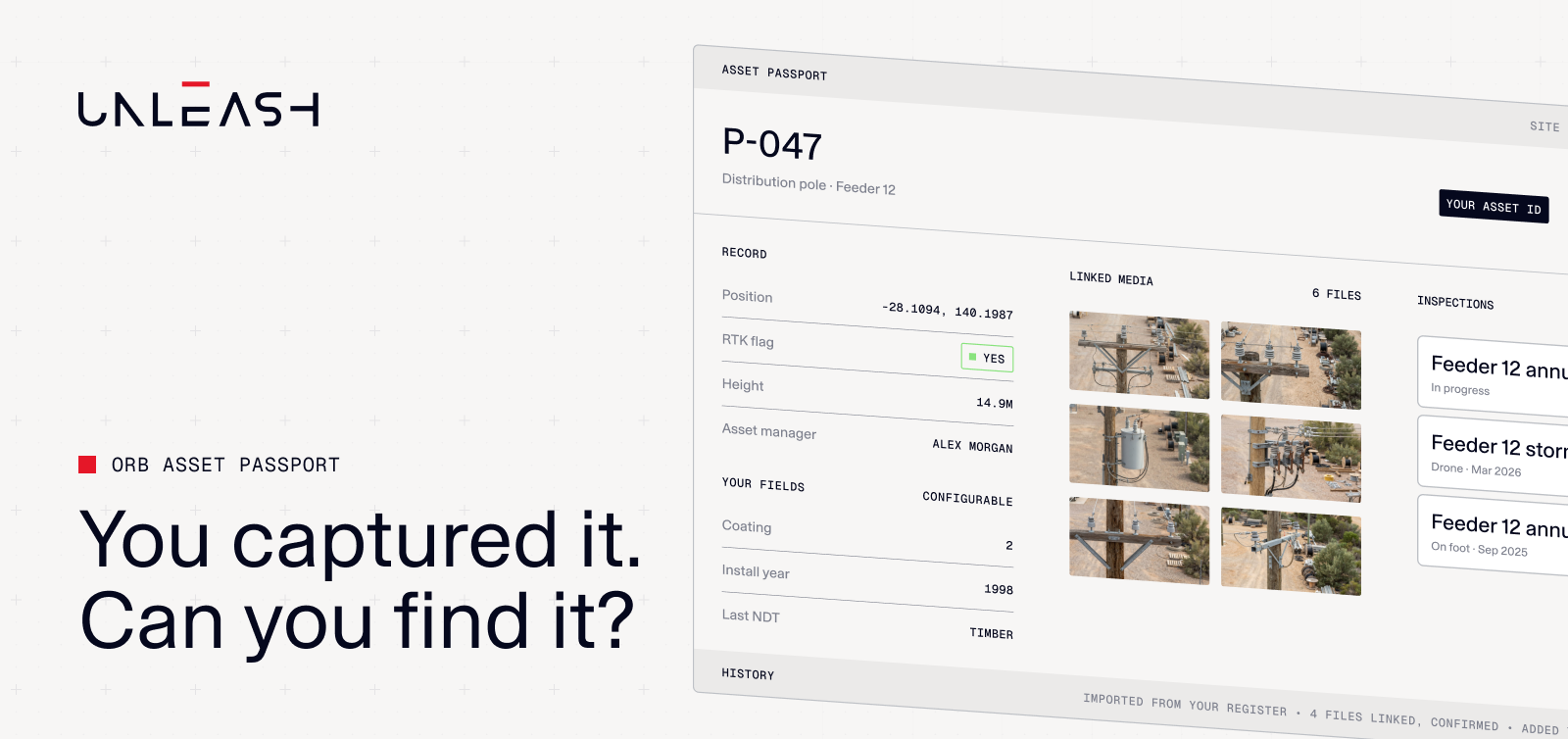
Orb Asset Passport gives every asset one record built from every inspection: media, detected faults and inspection history in a single asset-centric view.
- inspection
- computer-vision
- ai
- drones
- monitoring
- operations
- gis
- data-analytics
Every asset gets one record, built from every inspection.
Most inspection programs can tell you how many images they captured last quarter. Far fewer can tell you, for one specific pole or conveyor or pipeline section, what has been captured on it, what was found, and which inspections it was part of.
That gap comes from how the data is structured. Media sits in folders. The asset is a marker on a map. Inspections live as separate records. AI results hang off individual files. Nothing shares an identifier, so the one thing the whole program exists to understand, the asset, is the one thing the system does not actually track.
One page per asset
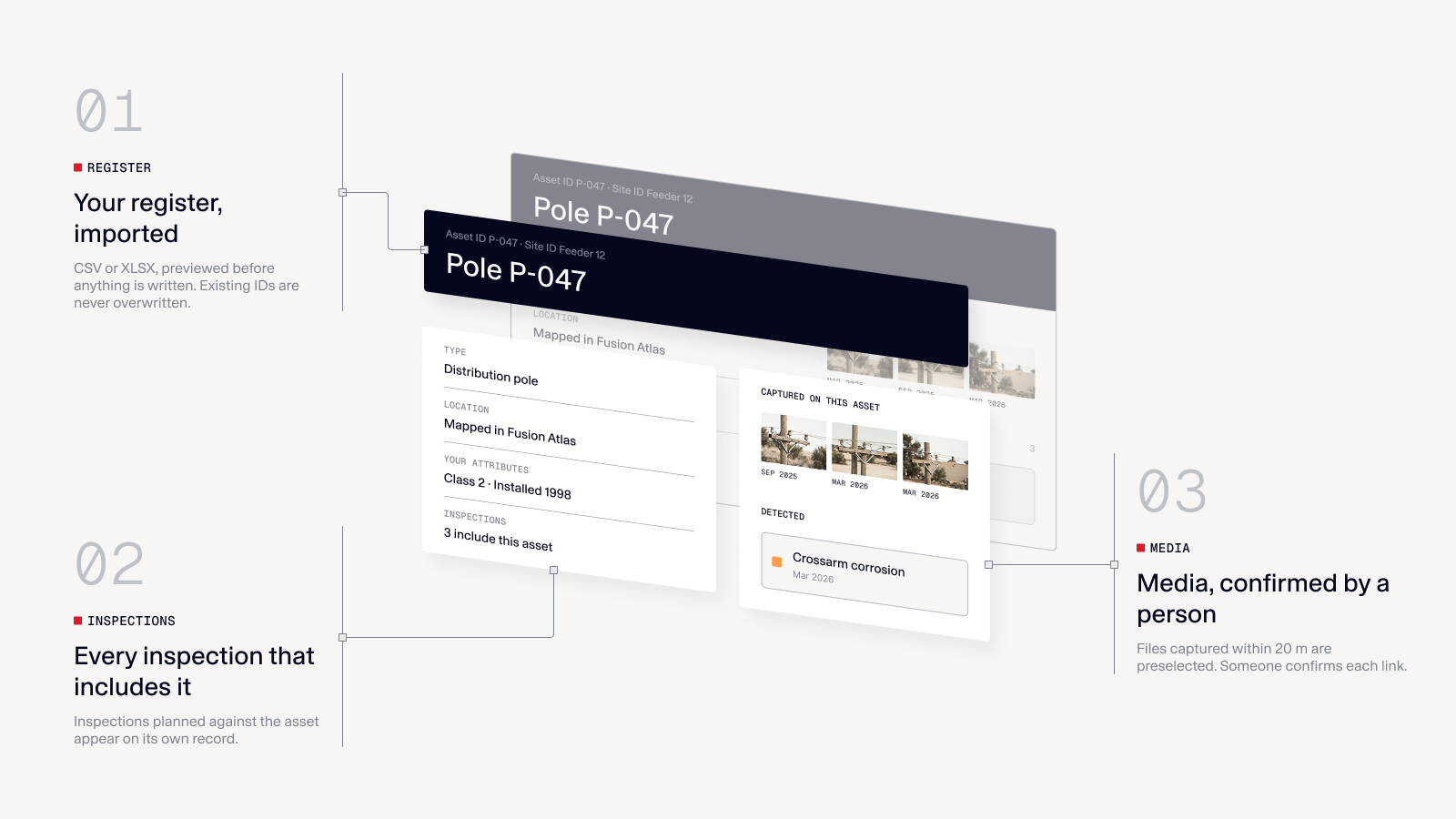
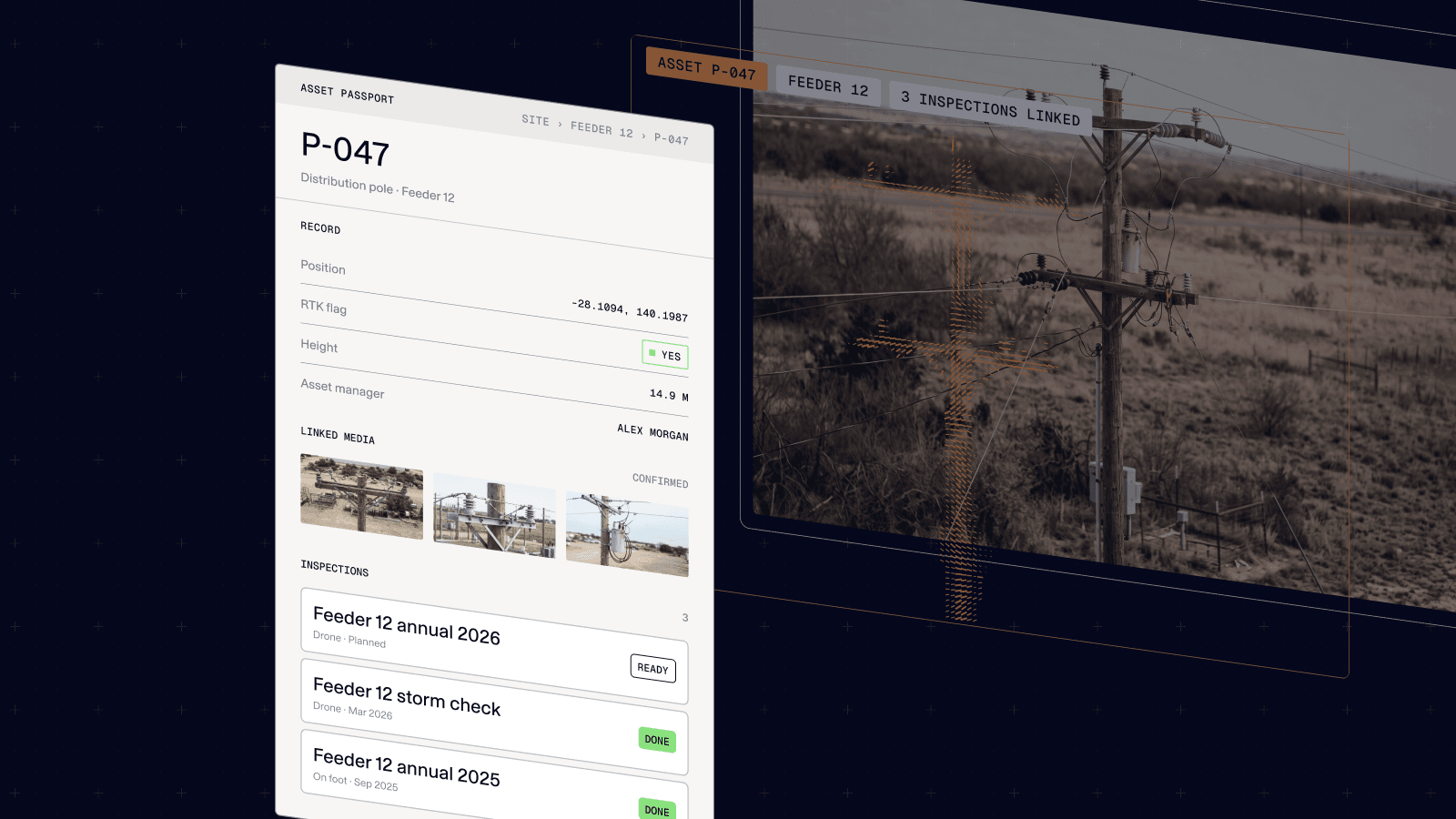
Orb Asset Passport changes what the product is organized around. Two keys, your Asset ID and a Site ID, tie together what Unleash Live already holds. Every asset gets one page with four tabs: Passport, Media, Inspections and History. Open it and the whole picture is there.
It works the same way whichever product you run. In Orb, each inspection cycle adds to the record instead of starting a new folder. In Prism, continuous monitoring accumulates against the same record, so a fixed site builds one history rather than a stream with no subject. The asset is the subject either way.
What counts as an asset
Anything physical that gets inspected more than once. A distribution pole, a mining digger, a span of track, a pump station, a road bridge, a section of pipeline. The value is the same whether the asset is one expensive machine in one place or forty thousand of them spread across a network.
Why one record changes the decision
A single inspection tells you the condition of an asset on one day. Nine inspections of the same asset, which may span years, tell you something one cycle cannot: whether a defect is getting worse, how fast, and whether it came back after a crew was already sent to fix it.
That is the difference between finding a defect and knowing which defect to send a crew to first. It is also where patterns across assets start to show, when the same component fails the same way on the same asset class, which points at one root cause rather than forty separate work orders.
Evidence that stands up
Inspection evidence is judged on the underlying record. A per-asset history gives you a defensible answer to show me everything on this asset over the last three cycles, without anyone reconstructing it from folder names and flight logs.
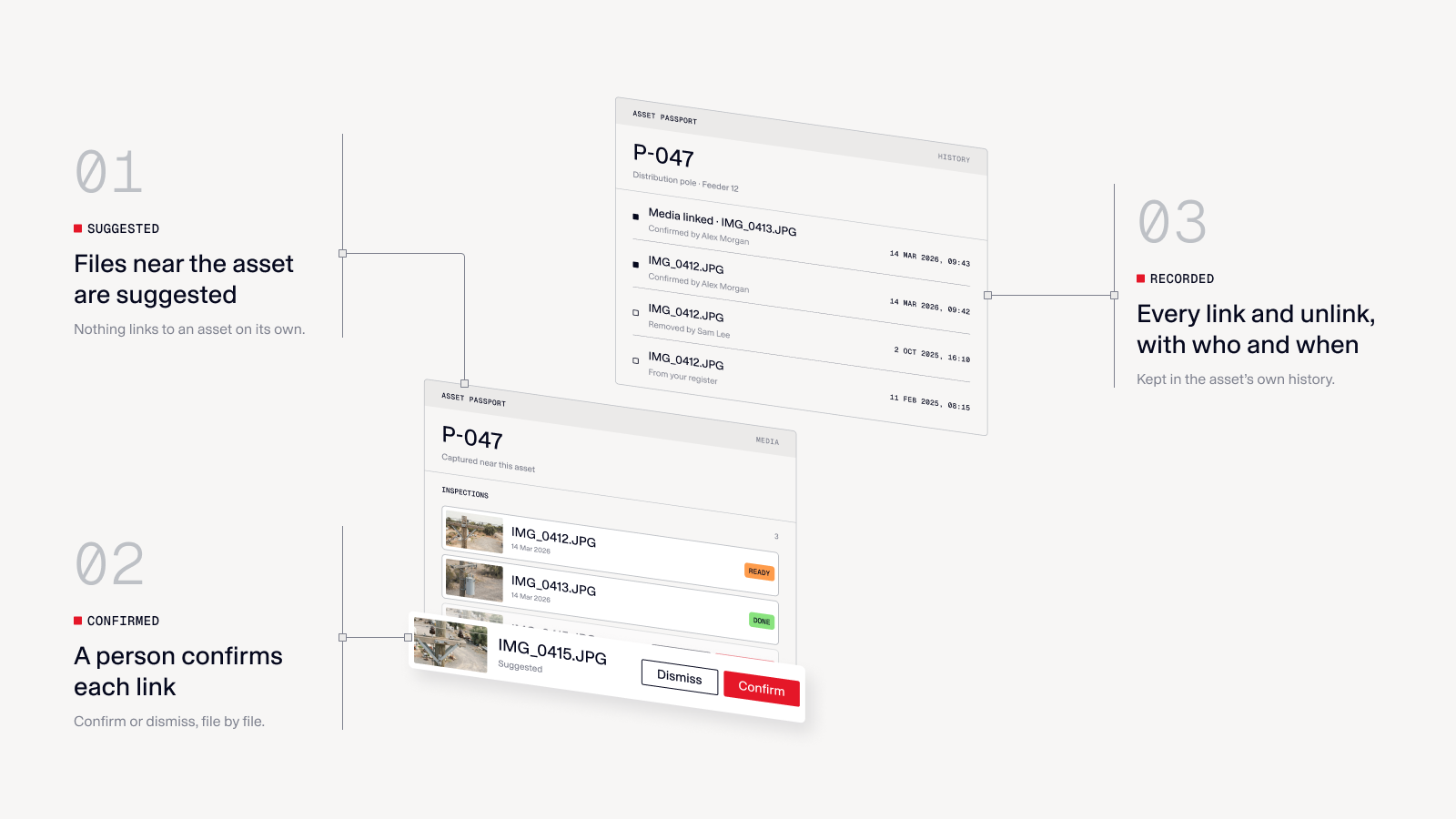
It is defensible in a specific way. Nothing links to an asset on its own. Files captured near the asset are suggested, a person confirms them, and every link and unlink is recorded in that asset's history. You can show what was captured, and who connected it and when. A system that links automatically cannot say that.
Your register stays yours
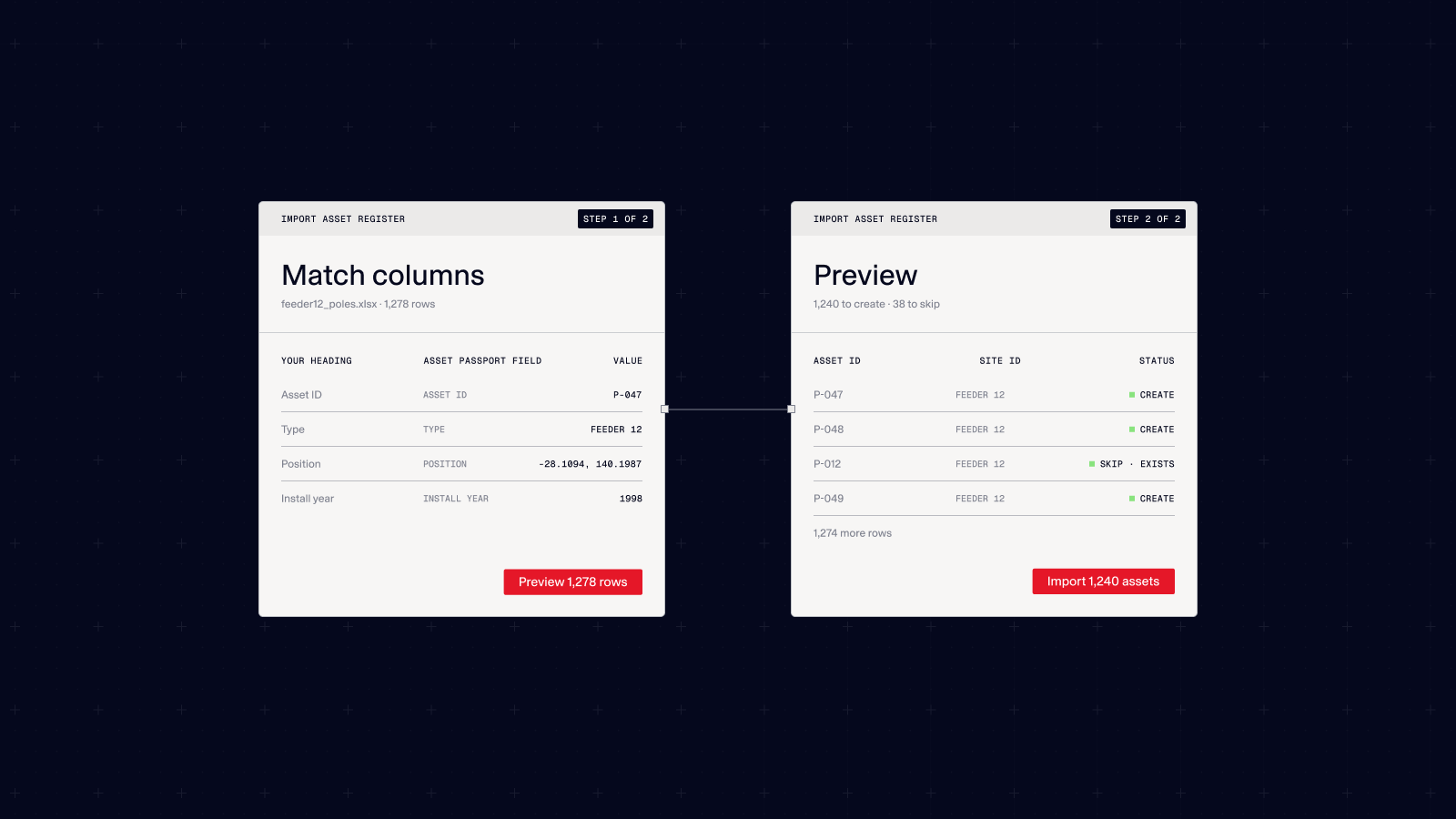
Import the register you already maintain. Columns are matched automatically, a preview shows what will be created or skipped before anything is written, and existing asset IDs are never overwritten. You can rename Asset and Site to whatever your teams already call them.
Asset Passport is a view over what Unleash Live already holds, not a system of record. Your IDs stay primary and nothing moves. There is no migration project attached to this.
Built on what you already run
Asset-first inspection should not require replacing the fleet you already fly. Unleash Live captures from the drones, docks and fixed cameras already in your operation, and the asset record is the same whichever hardware produced the image.
This is a foundation. Deeper analysis builds on top of a record that has to exist first. That record now exists.
Asset Passport is available now across Orb and Prism. Existing customers can switch it on through their customer success manager. New organizations have it enabled by default.
If you want to see what one of your own assets looks like with its full history attached, request a technical briefing.

