2026 Release 1
Thermal image support & RGB/thermal filtering in Image Viewer, improved fault review, and AR-guided manual inspections with Autofly (GCS) 26.03.
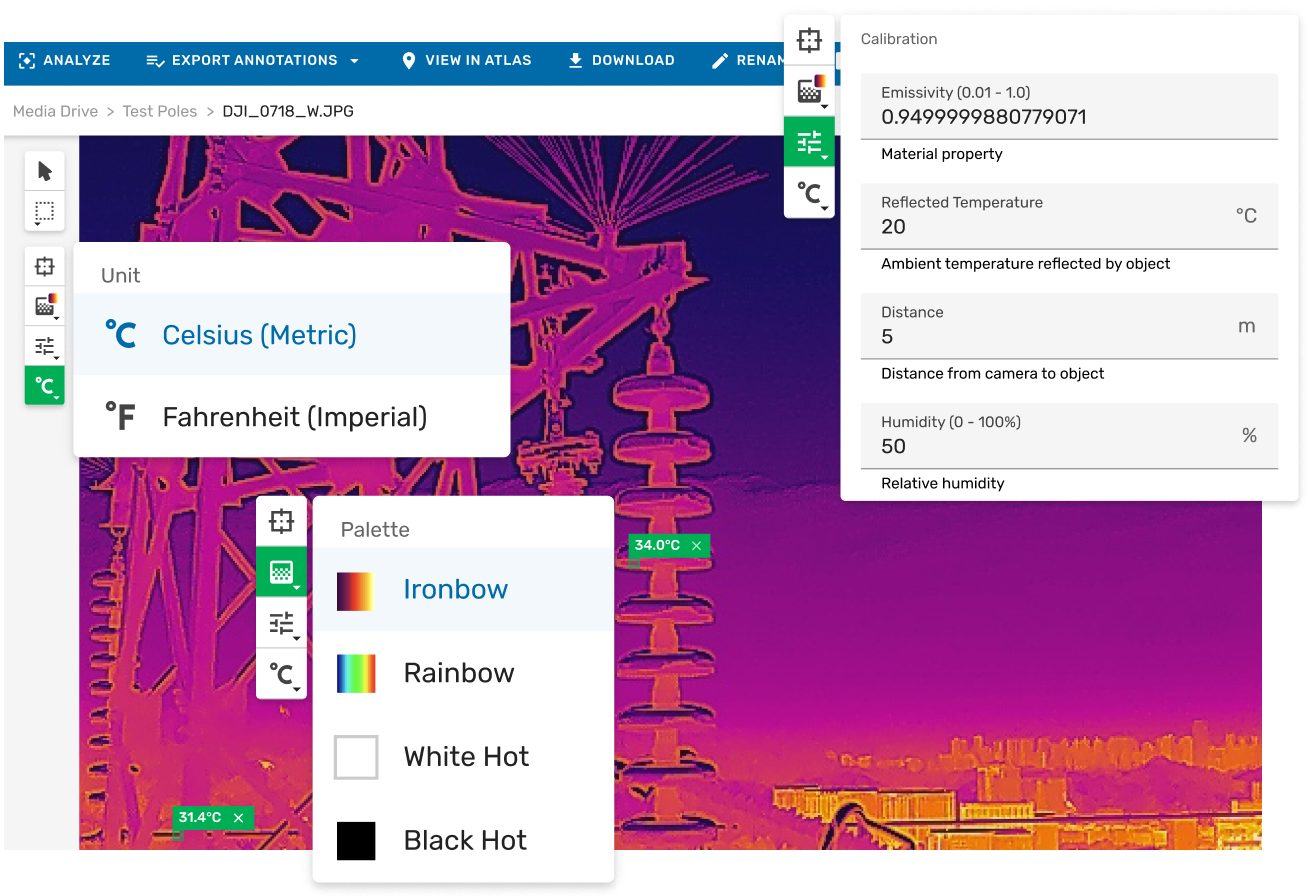
Thermal Image Support in Image Viewer
Thermal imaging captures heat as temperature data rather than light. It reveals what standard cameras cannot, including overheating electrical components, insulation gaps, moisture ingress, bearing stress, and solar panel hotspots.
Within Unleash live Cloud, radiometric images can be opened in Media Drive, with spot temperatures checked, palettes adjusted, and findings annotated directly inside the governed inspection record. There is no need for desktop software, file exports, or workflow disruption.
Thermal analysis is fully integrated into the Image Viewer, enabling full resolution review and annotation in one place.
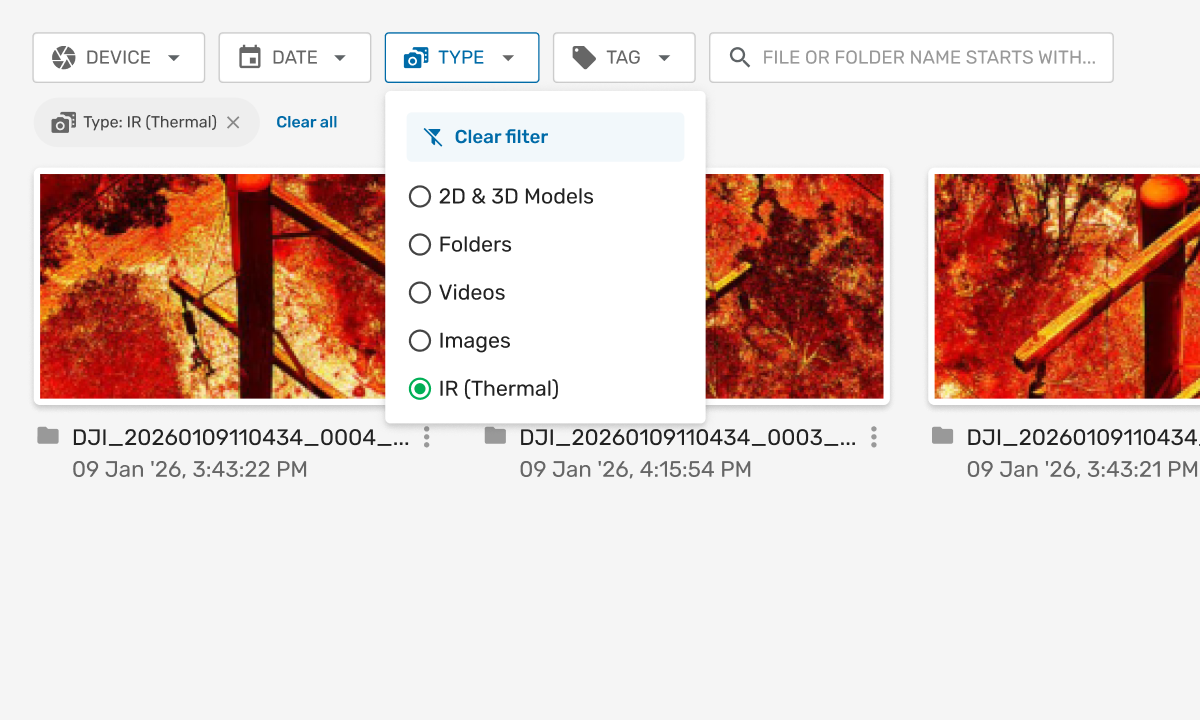
Filter Standard RGB Images & Thermal Images
If you're running dual-sensor drone inspections, you can now filter between standard and thermal images instantly in Media Drive, the media management and storage system within Unleash live Cloud.
Select 'IR (Thermal)' from the 'Type' drop-down to isolate thermal captures in one click: then open directly in Image Viewer, the full-resolution image review and annotation interface within Unleash live Cloud for spot temperature checks, palette switching, and annotation. No manual triage. No separate workflows.
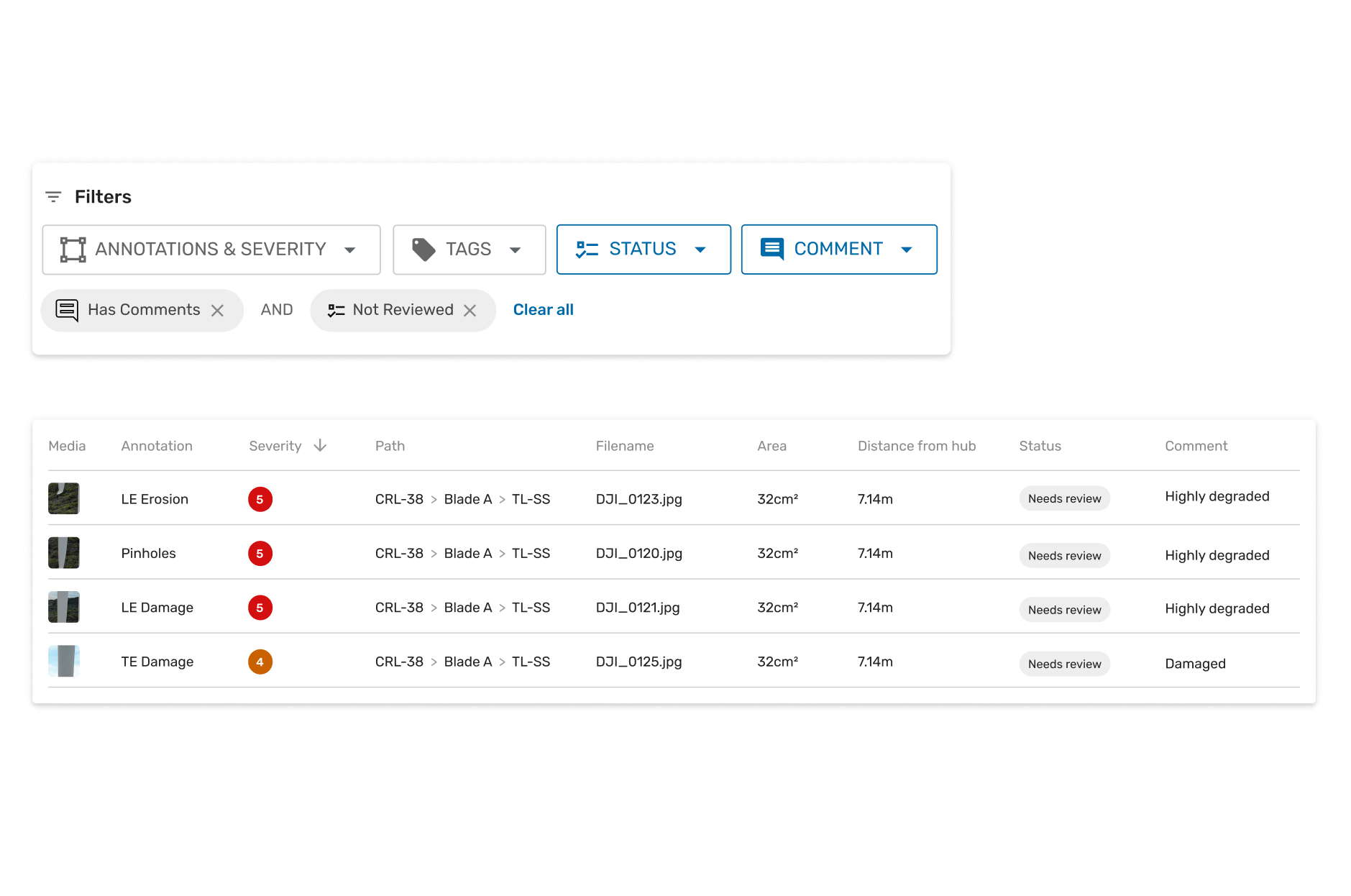
Improved Fault Review
The Reporting Page in Unleash live now keeps your filters, table settings, and review context intact across your entire session. Filter faults by severity, tags, status, or whether comments have been added. Open any detection in the immersive viewer and return to exactly where you left off. A summary card shows inspection totals at a glance: no PDF export needed. Fault review for large inspection programs, without the stop-start.
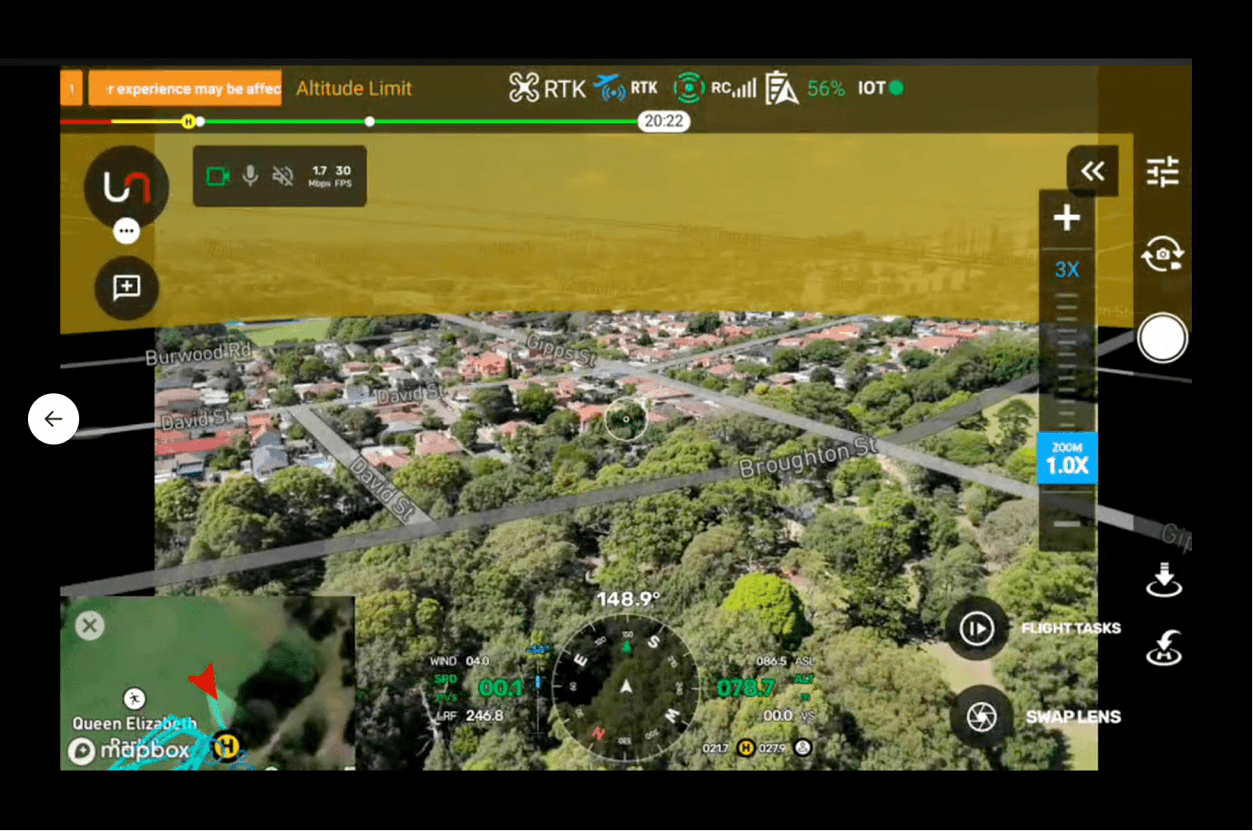
Augmented Reality (AR)-Guided Manual Inspections + Autofly (GCS) 26.03
Autofly, the Unleash live ground control station (GCS) application for drone mission planning and flight operations v26.03, introduces AR-Guided Manual Inspections: your planned flight path, waypoints, and asset locations overlaid directly onto the live drone video feed.
Pilots see exactly where to fly without switching to the map. Color-coded map status shows task progress at a glance. Smart Inspect, the automated asset capture mission mode within Autofly is more reliable, with improved mission navigation. A major platform stability upgrade delivers more reliable longer flights and smoother remote operations. This is the most capable version of Autofly yet.